


How to Build a Warehouse Management System: Architecture, Modules, and Best Practices

Modern warehouses have become far more than storage facilities. They are dynamic operational hubs that coordinate inventory, order fulfillment, shipping, receiving, and workforce management across increasingly complex supply chains. As customer expectations for speed and accuracy continue to rise, businesses require intelligent software that can orchestrate these operations efficiently.
A Warehouse Management System (WMS) serves as the digital backbone of warehouse operations. It provides real-time visibility into inventory, automates repetitive tasks, optimizes warehouse workflows, and helps organizations make informed business decisions. While many companies adopt commercial WMS platforms, others choose to build custom solutions that align with their specific business processes and long-term growth strategies.
Developing a warehouse management system requires more than simply creating inventory screens and barcode functionality. Successful solutions are built upon scalable architecture, carefully designed modules, robust integrations, and proven software engineering practices. Understanding these elements before development begins significantly improves the likelihood of delivering a reliable and future-proof product.
Understanding the Purpose of a Warehouse Management System
Before writing code or selecting technologies, it is essential to define the objectives of the system.
A modern WMS should help organizations:
Maintain accurate inventory records
Track product movement in real time
Optimize storage locations
Improve picking efficiency
Reduce operational errors
Accelerate receiving and shipping
Generate actionable analytics
Integrate seamlessly with other enterprise systems
The exact feature set depends on the warehouse environment. Distribution centers, manufacturing facilities, retail warehouses, and third-party logistics providers all have different operational requirements.
A thorough discovery phase ensures the software supports current business processes while remaining flexible enough to accommodate future growth.
Core System Architecture
The architecture of a warehouse management system should prioritize scalability, performance, security, and maintainability.
A common approach is a layered architecture consisting of several components.
Presentation Layer
The presentation layer includes web applications, mobile applications, handheld barcode scanners, tablets, and administrative dashboards.
Warehouse employees require simple interfaces that allow them to perform tasks quickly with minimal training. Managers need dashboards that provide operational insights, inventory status, and performance metrics.
Responsive design ensures the software functions effectively across multiple device types.
Application Layer
This layer contains the business logic that governs warehouse operations.
Examples include:
Inventory allocation
Picking optimization
Receiving validation
Order prioritization
Replenishment rules
Shipping workflows
Separating business logic from the user interface simplifies maintenance and enables future feature expansion.
Data Layer
The database stores warehouse information including:
Products
Inventory quantities
Storage locations
Orders
Shipments
Employees
Suppliers
Customers
Audit logs
Relational databases are commonly used because warehouse transactions require strong consistency and reliable data integrity.
Integration Layer
Warehouse software rarely operates independently.
Integration APIs allow communication with:
ERP platforms
Accounting software
Transportation Management Systems
E-commerce platforms
CRM systems
Shipping carriers
Barcode scanners
RFID devices
IoT sensors
REST APIs, GraphQL, and message queues are commonly used to facilitate secure and scalable integrations.
Essential Modules
A successful warehouse management system consists of multiple specialized modules working together.
Inventory Management
Inventory management serves as the foundation of the entire platform.
Key capabilities include:
Real-time inventory tracking
Stock adjustments
Cycle counting
Inventory transfers
Lot tracking
Serial number tracking
Expiration date management
Accurate inventory data improves forecasting, purchasing, and customer satisfaction.
Receiving Module
Receiving operations determine inventory accuracy from the moment products enter the warehouse.
Typical receiving functionality includes:
Purchase order verification
Barcode scanning
Damage reporting
Quality inspections
Put-away recommendations
Automatic inventory updates
Efficient receiving minimizes delays while preventing inventory discrepancies.
Put-Away Management
Once products have been received, they must be stored in appropriate warehouse locations.
The system should recommend optimal storage locations based on factors such as:
Product dimensions
Weight
Turnover rate
Storage compatibility
Available capacity
Smart put-away strategies reduce travel time and improve overall warehouse efficiency.
Order Management
Order management coordinates customer orders from creation through shipment.
Typical features include:
Order validation
Inventory reservation
Picking assignment
Packing workflows
Shipment preparation
Order status tracking
Automated order processing reduces manual intervention while improving fulfillment speed.
Picking Module
Picking often represents the most labor-intensive warehouse activity.
Modern systems support multiple picking methods including:
Single-order picking
Batch picking
Zone picking
Wave picking
Cluster picking
Route optimization algorithms reduce employee travel distance while increasing productivity.
Barcode verification also minimizes picking errors.
Packing and Shipping
The shipping module prepares completed orders for delivery.
Common capabilities include:
Packing verification
Shipping label generation
Carrier selection
Freight calculations
Shipment tracking
Delivery confirmation
Integration with shipping providers streamlines logistics and improves customer communication.
Reporting and Analytics
Warehouse managers require meaningful data to optimize operations.
Useful reports include:
Inventory turnover
Order accuracy
Labor productivity
Picking performance
Receiving efficiency
Warehouse utilization
Stock aging
Shipment performance
Real-time dashboards enable proactive decision-making rather than reactive problem-solving.
Technology Stack Considerations
Selecting the right technologies depends on project requirements, expected scale, and available expertise.
Backend development may utilize frameworks such as Java Spring Boot, .NET, Node.js, Python Django, or Go.
Frontend interfaces often rely on React, Angular, or Vue.js for responsive web applications.
Mobile warehouse applications frequently use native Android development or cross-platform technologies like Flutter and React Native.
Database selection commonly includes PostgreSQL, Microsoft SQL Server, MySQL, or Oracle depending on enterprise requirements.
Cloud infrastructure allows organizations to scale resources as warehouse activity grows.
Containerization technologies such as Docker and Kubernetes simplify deployment, maintenance, and system updates.
Security Requirements
Warehouse systems contain valuable operational and financial information.
Security should be integrated throughout the development lifecycle rather than added afterward.
Important security measures include:
Role-based access control
Multi-factor authentication
Data encryption
Secure API authentication
Activity logging
Regular backups
Vulnerability monitoring
Audit trails
Compliance with industry regulations may also require additional security controls depending on the business sector.
Performance and Scalability
Warehouse activity fluctuates throughout the year.
Peak seasons may generate several times the normal transaction volume.
The software should support increasing numbers of:
Users
Orders
Inventory records
API requests
Connected devices
Scalable architecture enables businesses to expand without rebuilding the platform.
Performance optimization techniques include:
Database indexing
Query optimization
Caching
Load balancing
Asynchronous processing
Message queues
These approaches maintain responsiveness even under heavy workloads.
User Experience Matters
Warehouse employees often interact with the system for an entire workday.
Complicated interfaces reduce productivity and increase training costs.
Effective warehouse interfaces emphasize:
Large buttons
Minimal typing
Barcode scanning
Clear instructions
Fast response times
Error prevention
Simple navigation
Reducing unnecessary user interactions improves operational efficiency throughout the warehouse.
Testing Strategy
Warehouse software must perform reliably because operational downtime directly impacts business continuity.
Comprehensive testing should include:
Unit testing
Integration testing
Performance testing
Security testing
User acceptance testing
Device compatibility testing
Testing should also simulate realistic warehouse scenarios involving concurrent users, inventory transactions, and peak order volumes.
Integration Best Practices
Enterprise warehouses depend on continuous data exchange between multiple systems.
Successful integrations should include:
Standardized APIs
Retry mechanisms
Error logging
Version management
Data validation
Monitoring dashboards
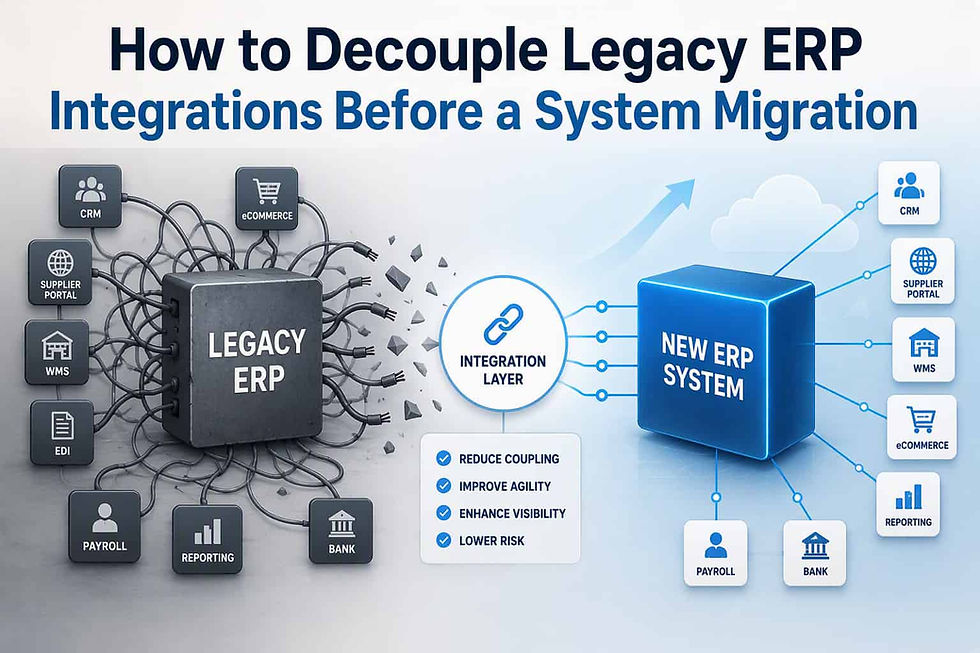
Loose coupling between systems improves maintainability while reducing deployment risks.
Future-Proofing the Platform
Warehouse technology continues to evolve rapidly.
A well-designed WMS should support future innovations such as:
Artificial intelligence for demand forecasting
Machine learning for inventory optimization
Autonomous mobile robots
Voice-directed picking
Computer vision
RFID automation
Internet of Things sensors
Predictive maintenance
Organizations that architect a warehouse management software with extensibility in mind can adopt emerging technologies without requiring major system redesigns.
Building modular services and well-documented APIs helps preserve long-term flexibility.
Best Practices for Successful Development
Building a successful warehouse management system requires balancing technical excellence with operational understanding.
Several best practices consistently lead to stronger outcomes:
Begin with detailed business process analysis before designing technical solutions.
Involve warehouse personnel throughout development to ensure workflows reflect real operational needs.
Design for scalability from the outset rather than attempting to retrofit it later.
Automate repetitive tasks wherever practical while allowing manual overrides for exceptional situations.
Prioritize real-time data synchronization to maintain inventory accuracy across all connected systems.
Invest in comprehensive monitoring, logging, and reporting to simplify maintenance and continuous improvement.
Finally, adopt an iterative development methodology that delivers functionality in manageable phases, allowing users to provide feedback before large-scale deployment.
Conclusion
Building a Warehouse Management System is a complex but highly rewarding software development project. A successful WMS combines scalable architecture, robust business logic, intuitive user interfaces, reliable integrations, and strong security practices to support efficient warehouse operations.
By carefully designing core modules such as inventory management, receiving, picking, shipping, reporting, and integrations, organizations can create a platform that not only meets today's operational needs but also adapts to future growth and technological innovation. Following proven architectural principles and development best practices ensures that the resulting system delivers long-term value, improves operational efficiency, and becomes a strategic asset for the entire supply chain.

Comments